iPhone & iPad · iOS 26.5+

Fills that fit your hands.
Timing that can't lie.

A drum practice app that writes new fills for your kit, works out the sticking, and scores every hit you play on a MIDI e-kit to the millisecond.

Generator and tracking are free · No account · No ads · Works offline
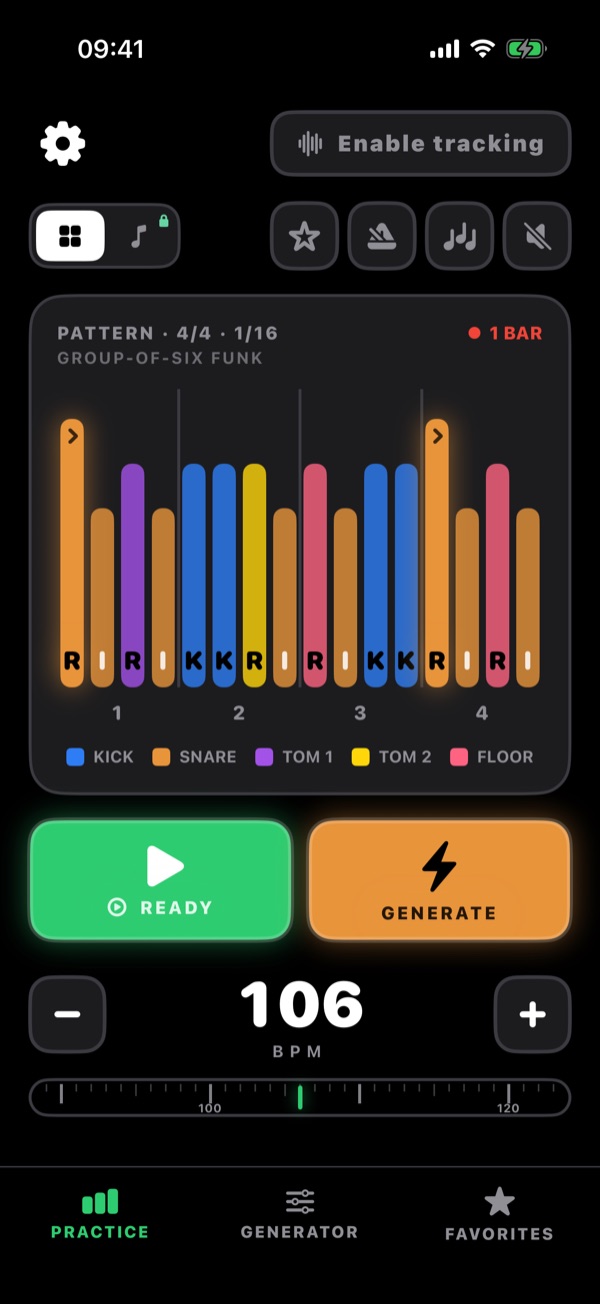
Drum Chops practice screen: a one-bar 16th-note fill shown as colour-coded bars with R, L and K sticking under each step, plus Play, Generate and a 106 BPM tempo control.
∞
Fills the generator can write
±25ms
Window for an on-time hit
10
Languages
8
Note grids, from 1/4 to 1/32

What it does

Two engines, one practice app.

One writes fills your hands can play. The other tells you, to the millisecond, whether you played them.

The generator

Never the same fill twice.

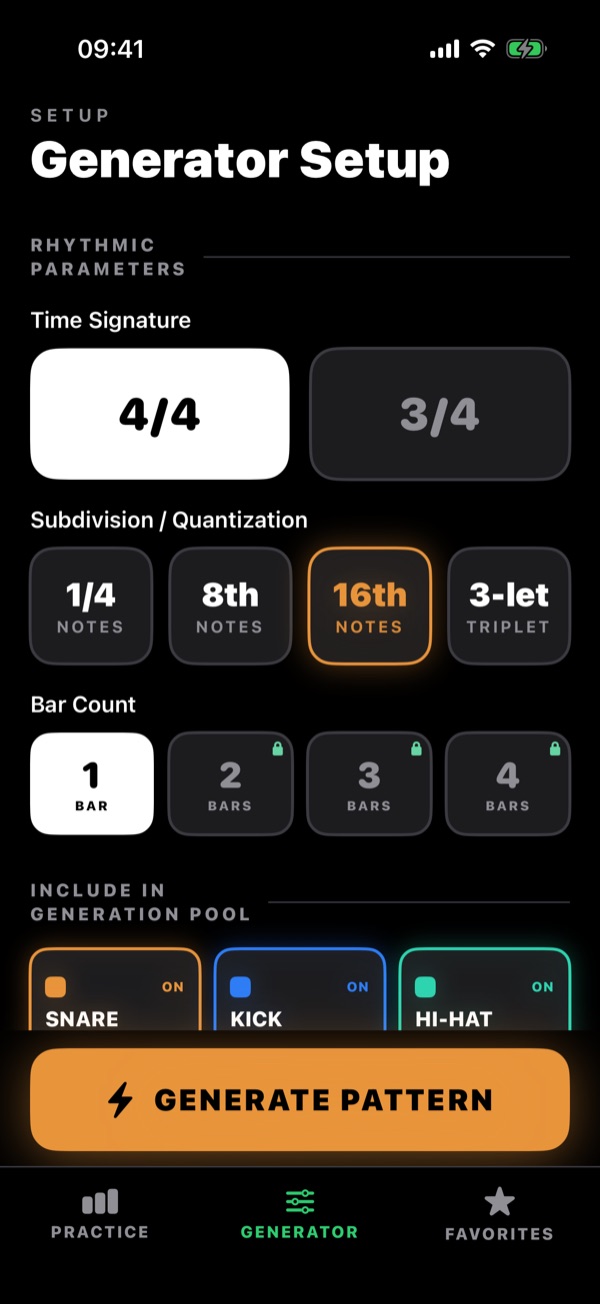
Set the grid and the engine writes a fill to it — 4/4 or 3/4, quarter notes to 32nds and septuplets, one bar free or up to four with Premium. One-bar 4/4 fills are planned as a whole phrase, not hit by hit. Press again for another; it never runs dry.
  • Strictly linear: one drum per step, never two at once
  • Sticking a drummer would write — no crossed hands, no lunges across the kit
  • No limb three times in a row, and loops without a stutter
Generator Setup screen: time signature 4/4 or 3/4, subdivision from quarter notes to triplets, bar count from 1 to 4, and which drums to include.
Rhythmic tracking

Train the tempo, not just the pattern.

Connect a USB-C MIDI kit and every hit is matched to the grid as you play. Scoring always uses the exact grid — never the humanised playback — so what you see is the truth about your timing.
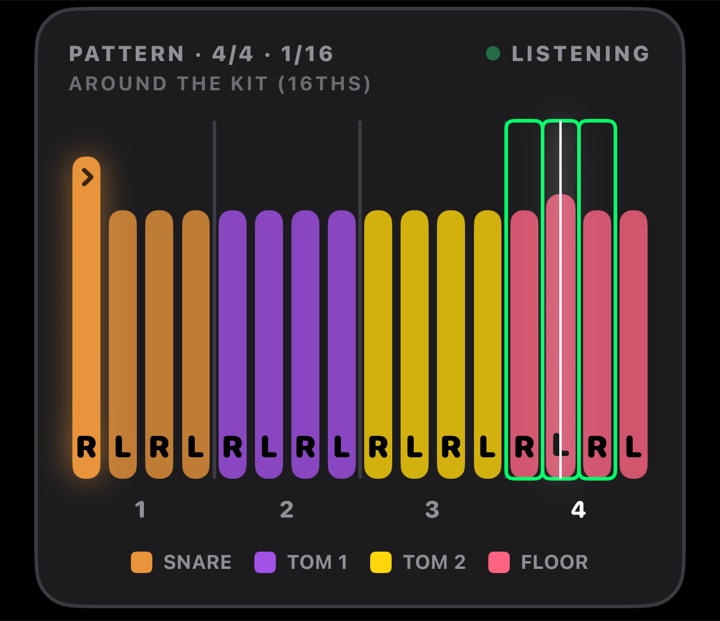

  • Green inside ±25 ms, amber out to 80 ms, red beyond that
  • A live timeline of every hit, and a history of each loop
  • Drop the tempo until the bar is all green, then climb
Pattern card while tracking: the steps just played are outlined in green as on-time hits, with a LISTENING indicator.
Hit timeline: a row of coloured ticks, mostly green with a few amber, red and blue.
On time Early / late Miss Wrong drum

And also

Built for serious practice.

Whole-phrase engine

One-bar 4/4 fills are planned as a phrase — groupings, kick placement, orchestration and accents — then checked for comfort and flow.

Low-latency audio

Real drum samples with accent, normal and ghost dynamics, and a metronome on the same clock.

Grid or sheet music

Colour-coded steps with R / L / K sticking, or a five-line drum staff Premium. Tap to cue, drag to scrub.

Robot to Loose

Four playback feels add human timing to the audio; visuals and scoring stay exact.

Groove & favorites

Wrap the fill in a groove bar to hear it in context Premium, and star the ones worth keeping.

10 languages, offline

Switch language in the app. No account and no network needed to practise.

How it works

Set the grid. Generate. Play it. Prove it.

01

Set your grid

Pick 4/4 or 3/4, one or more subdivisions, the bar count, and which of the six drums to use.

02

Let it write one

Get a fill with the sticking already worked out. Don't like it? Press again.

03

Learn it

Loop at any tempo with the click; add the groove and staff view with Premium.

04

Prove you have it

Connect a MIDI e-kit, turn on tracking, and watch every hit land against the grid.

Pricing

The free tier is the whole instrument.

Premium adds range, not access. Nothing is time-limited and nothing is metered.

Free

Everything to start

No account, no ads, no trial clock.

  • The full generator, unlimited, on one-bar fills
  • Rhythmic tracking with a MIDI kit — every millisecond of it
  • All six drum voices, both time signatures, every subdivision
  • Colour-coded grid view with R / L / K sticking
  • Metronome, transport, tap-to-cue, per-drum volume
  • Every subdivision: quarter notes to 32nds, triplets to septuplets
  • Favorites and all ten languages
Premium · subscription

Three unlocks

Auto-renewable, monthly or annual, via the App Store.

  • Multi-bar fills — 2, 3 and 4-bar phrases
  • Notation view — the classic five-line drum staff
  • Groove context — a one-bar groove before and after the fill

Requirements

Before you download.

Platform
iPhone and iPad, iOS 26.5 or later
Account
None — the app opens straight into practice
Network
Optional; only used for background content updates and the subscription screen
Rhythmic tracking
A USB-C MIDI drum kit or pad, on one-bar fills
Microphone tracking
In development — not available in this version
Languages
English, Ukrainian, German, Spanish, French, Portuguese, Polish, Czech, Japanese, Simplified Chinese

You've been playing the same four fills for years.

An engine that writes new ones your hands can reach, and a kit that tells you the truth about your timing — on the device already on your music stand.